
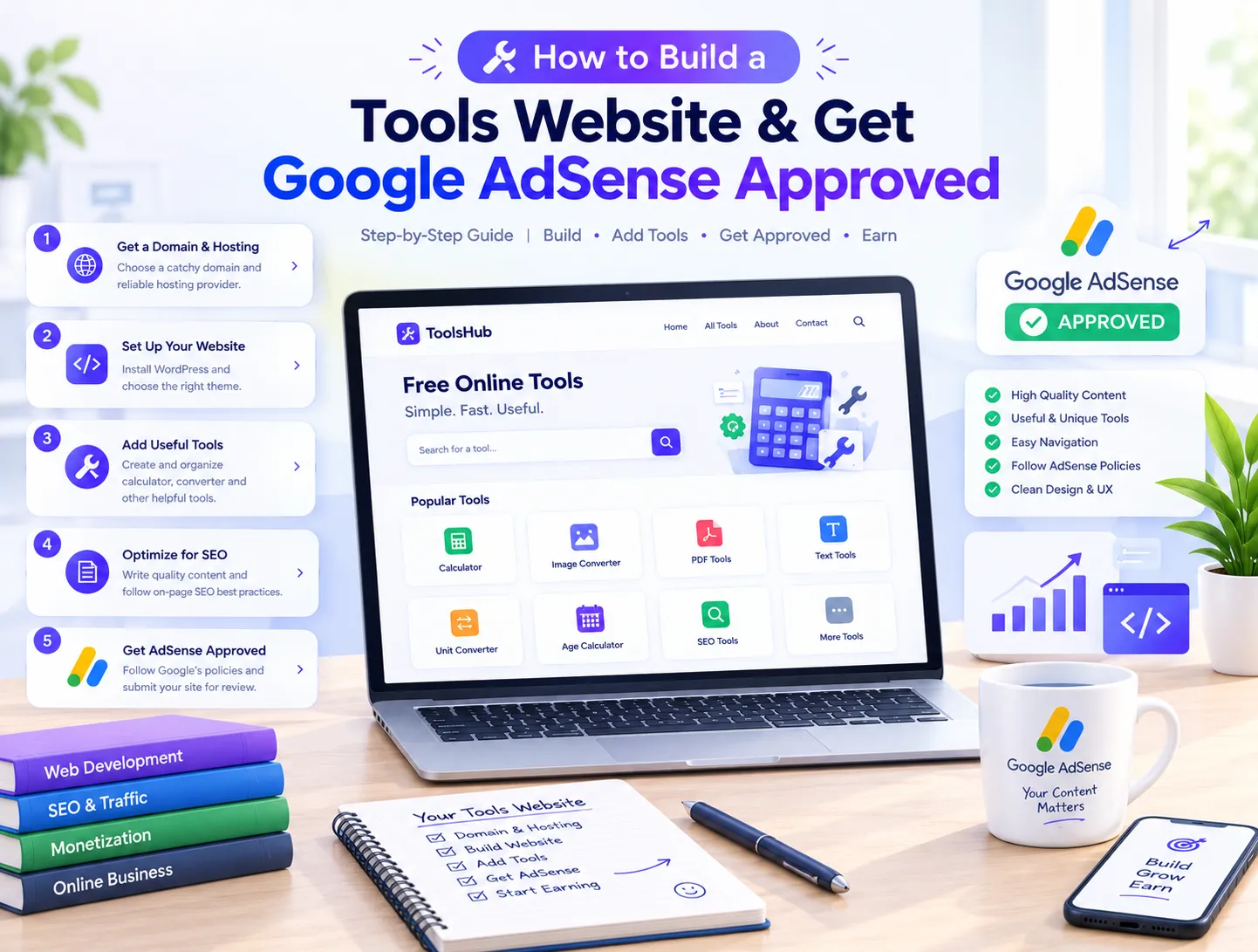
Build a Tools Website & Get Google AdSense Approved in 2026
Have you ever landed on a simple web page where you just compress an image, calculate a percentage, or check a word count, and wondered how much money that clean little site is making? Honestly, when I first started looking into online side hustles, I thought you needed a massive software engineering background or a huge advertising budget to build anything meaningful. But once I launched my first utility platform, I realized that the real magic isn't just in the code—it's in knowing how to set things up right and secure Google AdSense approval without pulling your hair out.
If you're tired of traditional blogging and want to build a hands-off property that brings in steady passive income, building a web utility platform is one of the smartest moves you can make today. Whether you are exploring our broader digital agency portfolio for inspiration or planning your own micro-SaaS project, the demand for fast, browser-based tools is massive. But here's the catch: most beginners throw up a few generic scripts, apply for AdSense immediately, and get crushed by the dreaded "Low-Value Content" rejection email. Let's walk through a practical, conversational roadmap to make sure your site sails right through review.
Why Free Utility Platforms Deliver Massive Passive Income
Think about how people use the internet daily. When someone needs to resize an image, convert a document, or generate a password, they don't want to download a heavy desktop application. They want a fast, browser-based solution that works in two seconds. That instant utility creates massive, recurring search traffic.
When visitors land on your site, use your tool, and stay on the page for a brief moment, Google notices. By placing clean ad banners strategically around your interface, you turn that raw visitor attention into high-paying ad impressions. Unlike traditional content sites where people read and bounce, utility sites bring users back repeatedly because tools solve immediate problems.
Key Essentials Needed Before You Touch AdSense
- Custom Domain Name: Free subdomains (like .blogspot or .wordpress.com) rarely get approved today. Invest in a clean, brandable `.com` domain.
- Reliable Web Hosting: Google's automated crawlers test your site's mobile responsiveness and loading speed. Slow servers lead to instant rejections.
- Mandatory Legal Pages: You must have clear Privacy Policy, Terms of Service, Disclaimer, and Contact Us pages linked in your footer.
- Companion Content: Pure code blocks without text look like thin content to Google reviewers. Every tool needs descriptive instructions.
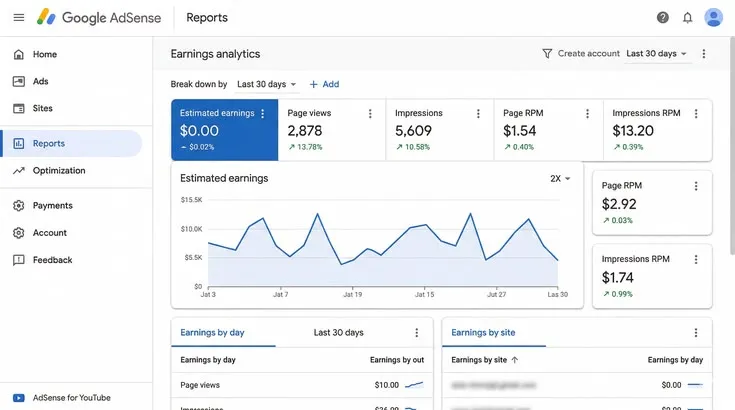
A verified Google AdSense dashboard reflecting steady daily ad revenue from a niche utility platform.
1. Choosing a Profitable Utility Niche and Building the Website
The first real step is deciding what your site will actually do. Don't try to build a universal website that does everything poorly. Instead, pick a specific category with healthy search volume—like image modification utilities (compressors, background removers, format converters) or text processing calculators. You can code these using lightweight PHP or deploy them via clean HTML and JavaScript templates.
Keep your user interface (UI) dead simple. When a user opens your page, the tool input box should be the very first thing they see without needing to scroll endlessly through clutter.
How to Layout Your Tool Pages for Maximum Engagement
- Above the Fold Focus: Put the core functionality right at the top of the screen so users can interact instantly.
- Step-by-Step Guidance: Write 3 clear bullet points explaining how to use the tool.
- Client-Side Processing: Handle tasks using modern JavaScript where possible to keep server loads low and response times instant.
- Clean Ad Separation: Never let annoying popups or deceptive ad placements block your tool interface.
2. Overcoming the Low-Value Content Trap with Comprehensive Guides
This is where almost every beginner trips up. If Google's crawler checks your site and finds a page with just a form field and zero text, it marks the page as "Thin Content" and rejects your AdSense application. Google wants to serve users pages that offer complete, helpful context.
The fix is simple: beneath every single tool on your site, add an 800-word informative guide, a list of use cases, and a detailed FAQ section. Explain what the tool does, why it matters, and how people can use it safely in their daily work. This turns your site from a basic script container into a genuinely helpful resource.
Proper ad placement around tool interfaces maximizes click-through rates without breaking visitor trust.
3. Technical Optimization: Passing Core Web Vitals and Speed Audits
You can have the most amazing tools in the world, but if your site takes seven seconds to load or looks broken on a smartphone screen, Google's review team won't approve you. Technical health matters just as much as content depth.
Make sure your site has an active SSL certificate (HTTPS) installed. Minify your scripts, compress your stylesheets, and test your pages using Google PageSpeed Insights. Aiming for a mobile performance score above 90 ensures that automated crawlers can index your pages without timing out or running into rendering issues.
Feature Breakdown: What Google Reviewers Look For
| Website Element | Low-Quality Setup (Rejection Risk) | AdSense-Ready Setup (Approval Guaranteed) |
|---|---|---|
| Content Depth | Only a script box with zero accompanying text | Tool interface + 800-word explanatory guide and FAQs |
| Site Navigation | Broken links, missing menus, dead buttons | Clean header, footer, and active category links |
| Domain Trust | Brand new domain with no logo or branding | Proper logo, favicon, and detailed About page |
| User Experience | Heavy popups, cluttered ads, deceptive UI | Minimalist layout, high mobile accessibility |
4. Driving Initial Search Traffic to Establish Real Authority
A lot of people build a site over the weekend, add three tools, and hit apply within two hours. When they get rejected, they think the system is rigged. In reality, building a little bit of preliminary momentum helps immensely.
Share your utilities across developer communities, social media groups, and niche forums. Submit your XML sitemap to Google Search Console to ensure your pages get indexed properly. When reviewers see that real human beings are visiting and using your pages, it signals that your platform is an active, functioning web service rather than an abandoned spam site.
5. Submitting Your AdSense Application and Maintaining Compliance
Once you have 5 to 10 fully functional tools live, rich companion text published under each one, and your legal pages in place, you're finally ready. Head over to your Google AdSense dashboard, enter your domain name, and paste the verification code snippet into your header.
The review queue typically takes anywhere from a couple of days to two weeks. If things go smoothly, you'll get an approval email. If you happen to get a minor policy rejection, don't panic. Read the notice, fix the specific issue mentioned, and reapply after a couple of weeks.
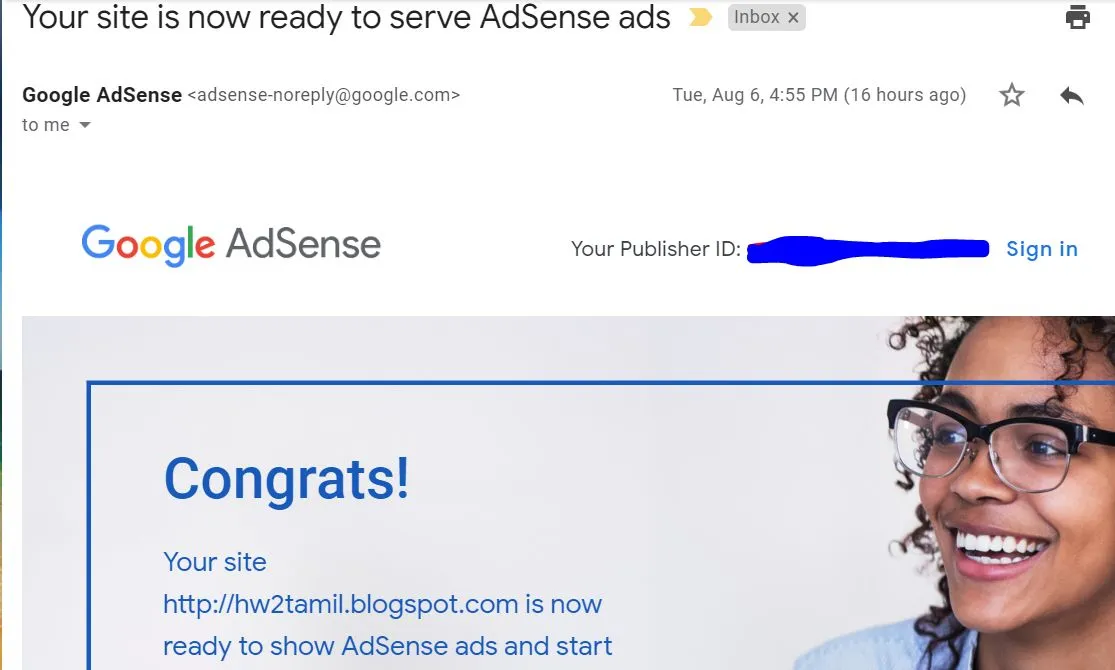
Receiving the official Google AdSense approval email unlocks automated passive income generation.
Common Mistakes That Lead to Instant AdSense Rejection
Avoid copying code or article text directly from other live competitor sites. Google's duplicate content filters catch copied snippets instantly. Never leave your Contact or About pages half-finished, and make sure every button on your platform actually does what it's supposed to do. Staying completely transparent and original is your best insurance policy against rejections.
Scaling Your Tools Platform Into a Long-Term Asset
Getting your AdSense code active is really just the starting line. Once monetization is up and running, your focus should shift toward expanding your utility library, adding fresh keyword-optimized guides, and monitoring user feedback. The more helpful micro-tools you build, the more organic search traffic your platform will capture over time.
Ready to Launch Your Tools Website and Scale Your Income?
Building a utility platform and clearing Google's approval hurdles is straightforward when you stick to a proven plan. If you want professional developer assistance building custom web tools or scaling your digital infrastructure, don't hesitate to get in touch with our team today. We are here to help you turn your digital side hustle into a sustainable revenue engine!
Frequently Asked Questions
Clear answers to your top questions regarding tools website creation and Google AdSense approval.
Yes, absolutely! However, you must include detailed companion guides and FAQ sections alongside your tools to prevent low-value content rejections.
Google does not enforce a strict minimum visitor threshold for approval, though having a small stream of steady organic traffic helps prove legitimacy.
Your site must feature an accessible Privacy Policy, Terms of Service, Disclaimer, and a dedicated Contact Us page.
If a site contains only isolated code boxes with no explanatory text, reviewers cannot evaluate real context, triggering a low-value rejection.
The review queue usually takes anywhere from 2 days to 2 weeks depending on current queue volume and site completeness.
Ready to build your automated tool platform and start earning?
Let our expert development team build your high-performance web asset today.