
Complete Browser-Based AI Audio Studio for Creators
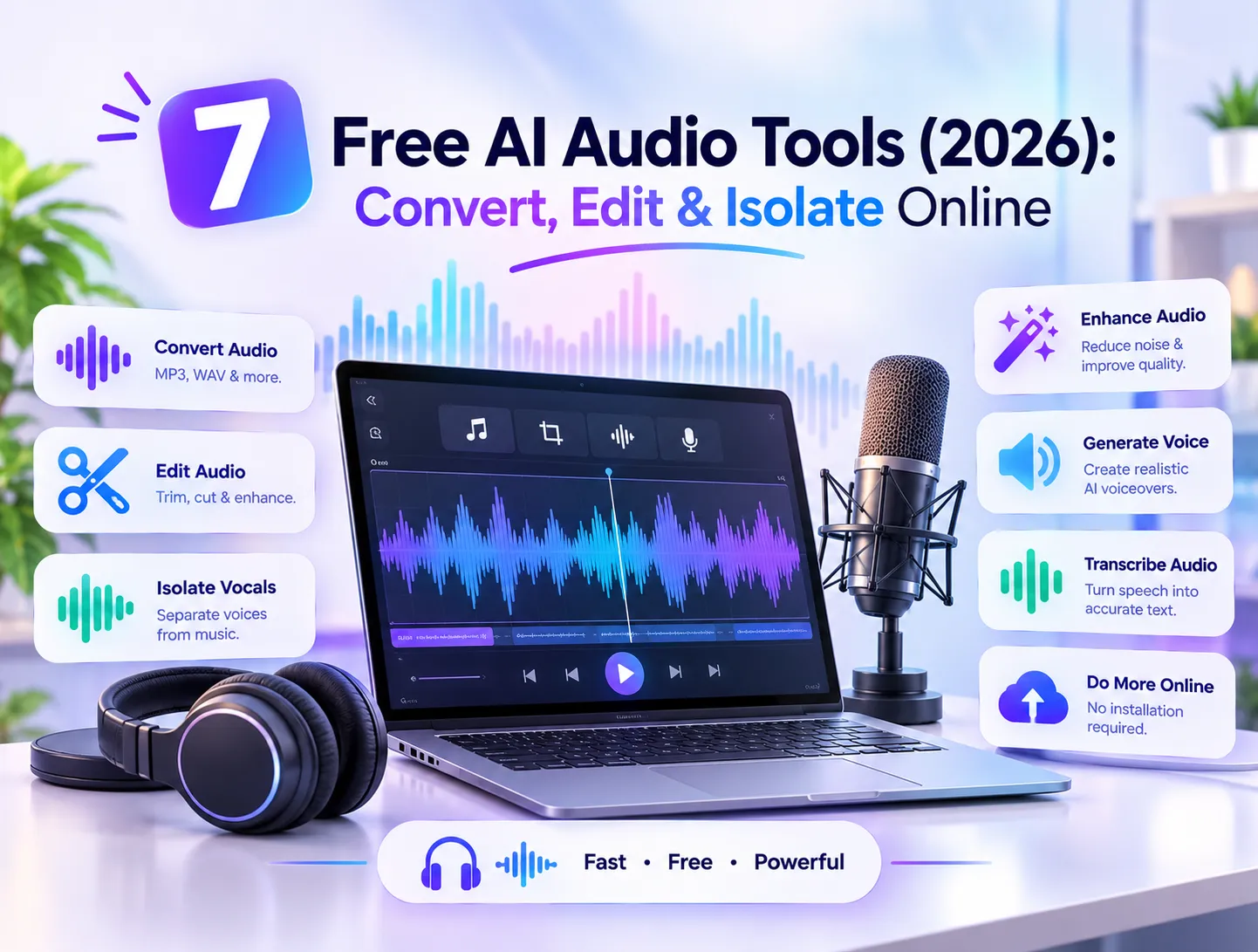
Professional audio production, video voiceovers, music editing, and podcast post-production traditionally required expensive Digital Audio Workstations (DAWs) and complex software installations. Today, modern browser technology and advanced machine learning algorithms allow creators, podcasters, musicians, and developers to process audio files instantly online. The all-in-one suite of online utilities on Webnestech provides professional-grade processing power directly inside your web browser. Whether you need an online voice generator, instant MP3 cutter, vocal isolator, or high-speed audio converter, these seven browser-based applications deliver studio-quality results without requiring software downloads, registration fees, or watermark restrictions.
1. Free AI Text to Speech - Best Online Voice Generator
Transforming written copy into natural, human-like narration is essential for YouTube videos, e-learning courses, social media reels, and audiobook production. The Free AI Text to Speech generator on Webnestech utilizes neural speech synthesis models to render studio-quality voiceovers in seconds. Users can convert raw text scripts into clear voice files with customizable speed, natural cadence, and realistic voice profiles, exporting high-fidelity MP3 files instantly for commercial or personal projects.
2. Online Audio Converter - MP3, WAV, FLAC & More
File format incompatibility often halts media editing workflows when uploading recordings across streaming platforms, editing apps, or website servers. Using the versatile Online Audio Converter, you can convert M4A to MP3, WAV to MP3, FLAC, AAC, and OGG formats with zero quality loss. This batch-ready online converter processes heavy media files asynchronously, ensuring maximum device security, zero signup requirements, and rapid file downloads.
3. Online Vocal Remover - Extract Acapella & Make Karaoke
Isolating vocal tracks from complex music mixdown files used to require master multi-track stems. The browser-based Online Vocal Remover uses deep AI stem-separation models to untangle human singing from background instrumentals. Content creators and DJs can extract clean acapella stems for song remixes or instantly isolate instrumental backing tracks to make custom karaoke songs with a single click.
4. Free Audio Joiner - Merge MP3 & Combine Audio Files
Combining multiple voice clips, intro music, sound effects, and podcast segments into one continuous master track requires seamless stitching. The Free Audio Joiner allows users to drag, reorder, and merge MP3 files online in seconds. Featuring customizable crossfade transitions and multi-track sequence controls, this tool lets you assemble podcast episodes and song compilations without audible gaps or volume dips.
5. Free Audio Compressor Online - Reduce MP3 File Size Fast
Large audio files take up valuable disk space, slow down website loading speeds, and cause upload errors on email or cloud storage platforms. With the Free Audio Compressor Online, you can quickly shrink heavy MP3, WAV, and M4A files. The tool lets you lower bitrates, adjust audio channels, and compress file size significantly while retaining crisp acoustic clarity and speech intelligibility.
6. Free Audio Trimmer - Cut MP3 & Songs Instantly
Extracting a specific song clip, trimming awkward pauses from a podcast, or creating custom smartphone ringtones requires pinpoint accuracy. The visual Free Audio Trimmer provides interactive audio waveform editing. Users can highlight exact millisecond start and end markers, crop unwanted sections, apply smooth fade-in and fade-out effects, and export trimmed MP3 audio instantly in their browser.
7. Free Audio Speed Changer Online - Adjust Speed & Pitch
Musicians transcribing fast solos, language learners practicing listening exercises, and video editors adjusting voiceover timing often need to modify playback speed without distorting voice key. The Free Audio Speed Changer Online allows independent tempo and pitch adjustments. Speed up MP3 recordings or slow down tracks smoothly from 0.5x to 2.0x while maintaining pristine pitch stability.
Audio Processing Performance & Feature Matrix
The comparative overview below summarizes the core features, processing speeds, and output capabilities of the Webnestech online audio suite:
| Webnestech Audio Tool | Primary Use Case | Supported Export Formats | Core Technical Feature |
|---|---|---|---|
| AI Text to Speech | Voiceovers & Audiobooks | MP3 / WAV | Neural AI voice synthesis |
| Audio Converter | Format Compatibility | MP3, WAV, FLAC, M4A, AAC | Zero quality loss conversion |
| Vocal Remover | Karaoke & Stem Separation | Isolated MP3 / WAV | Deep AI vocal extraction |
| Audio Joiner | Merging Tracks & Podcasts | Unified MP3 Track | Smooth crossfade merging |
| Audio Compressor | File Size Reduction | Compressed MP3 / M4A | Bitrate & channel optimization |
| Audio Trimmer | Ringtones & Clip Editing | Cropped MP3 / Ringtone | Visual waveform cropping |
| Audio Speed Changer | Tempo & Pitch Adjustment | Speed-Adjusted MP3 | Pitch-locked tempo shift |
Why Modern Creators Rely on Web-Based Audio Tools
Desktop editing software often involves hefty subscription fees, heavy RAM consumption, and long setup times. Browser-based processing on Webnestech gives creators instant access to powerful audio tools on desktop, tablet, or mobile devices. With client-side file security, fast rendering, and unlimited usage, users can edit, convert, and refine media assets without installing bloatware or compromising on quality.
Frequently Asked Questions
Key answers regarding audio file processing, tool limits, security, and export quality on Webnestech.
Yes! All seven audio utilities on Webnestech are 100% free with no hidden subscriptions, account registration requirements, or watermarks added to your exported files.
Your files are processed securely in your browser session and are automatically cleared after processing to ensure complete user privacy and data security.
Yes. The MP3 voiceover files generated using our AI Text to Speech tool can be used across commercial projects, YouTube channels, podcasts, and social media campaigns.
Our audio tools utilize lossless audio processing engines to ensure that trimming, converting, or joining tracks maintains full audio fidelity.
Yes. Our AI Vocal Remover separates vocal frequencies from instrumental backing tracks across MP3, WAV, M4A, and FLAC files automatically.
Ready to transform, convert, and edit your audio files instantly?
Explore our full suite of free browser-based audio processing utilities today.